Access lists
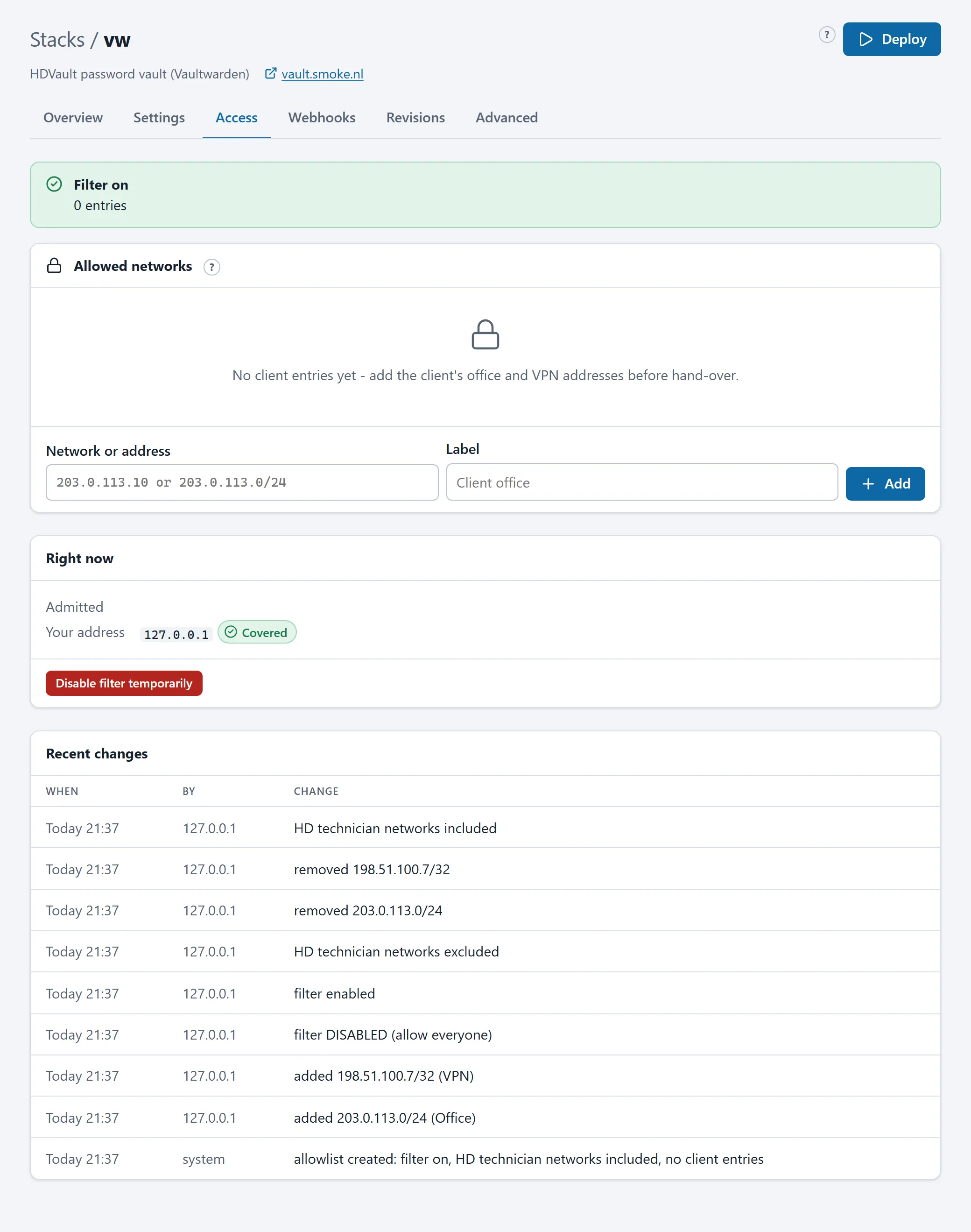
Some applications should not be open to the whole world: an intranet, a password vault, an administration environment. For such stacks HD Services sets up an access list. The stack then has an Access tab on which you maintain which networks may open the application.
How it works
Section titled “How it works”- The list consists of networks in CIDR notation with a label:
203.0.113.0/24(office),198.51.100.7/32(VPN exit). A single IP address automatically becomes/32. - A change applies within a second, without a deploy or restart: the web gateway applies the filter directly.
- At creation the filter is on with only HD Services’ networks in it. You add your own networks (or have them added); until then only HD Services can reach the application.
- Every change is recorded in the history on the tab and reported as an event on the Alerts page (and by mail).
HD Services’ networks
Section titled “HD Services’ networks”HD Services’ technicians are on every access list by default, so they can help during an outage. Whether they are on it is decided by HD Services; you do not see those networks in your list.
Switching the filter off
Section titled “Switching the filter off”Disable the filter makes the application reachable from every address on the internet. The portal asks for confirmation, then shows a red banner on the stack’s page and the Overview, and sends an alert. Use it only temporarily, for a demo for example, and switch it back on afterwards.
A filter that is on with an empty list admits nobody; the portal warns about that.
Through the API and an assistant
Section titled “Through the API and an assistant”The tool update_stack_access and the endpoint POST /stacks/{name}/access (scope access.entries.manage) add networks, remove them and switch the filter on or off. An assistant can therefore carry out “add the office network to the access list of stack intranet”; the change is in the history under your name.
What the list does not do
Section titled “What the list does not do”The access list covers the web traffic to that one stack. The portal itself, the API and the webhooks have their own protection (the client IP filter, tokens, webhook tokens). A stack without an Access tab is open to everyone; if you want a list for it, ask HD Services.