
Revisions
Every time a stack’s compose file, variables, settings, access list or git source are saved, the server keeps a revision: a copy of the definition with who made the change, through which door (portal, API, assistant, webhook) and when. It does not matter whether you click or your assistant does it.
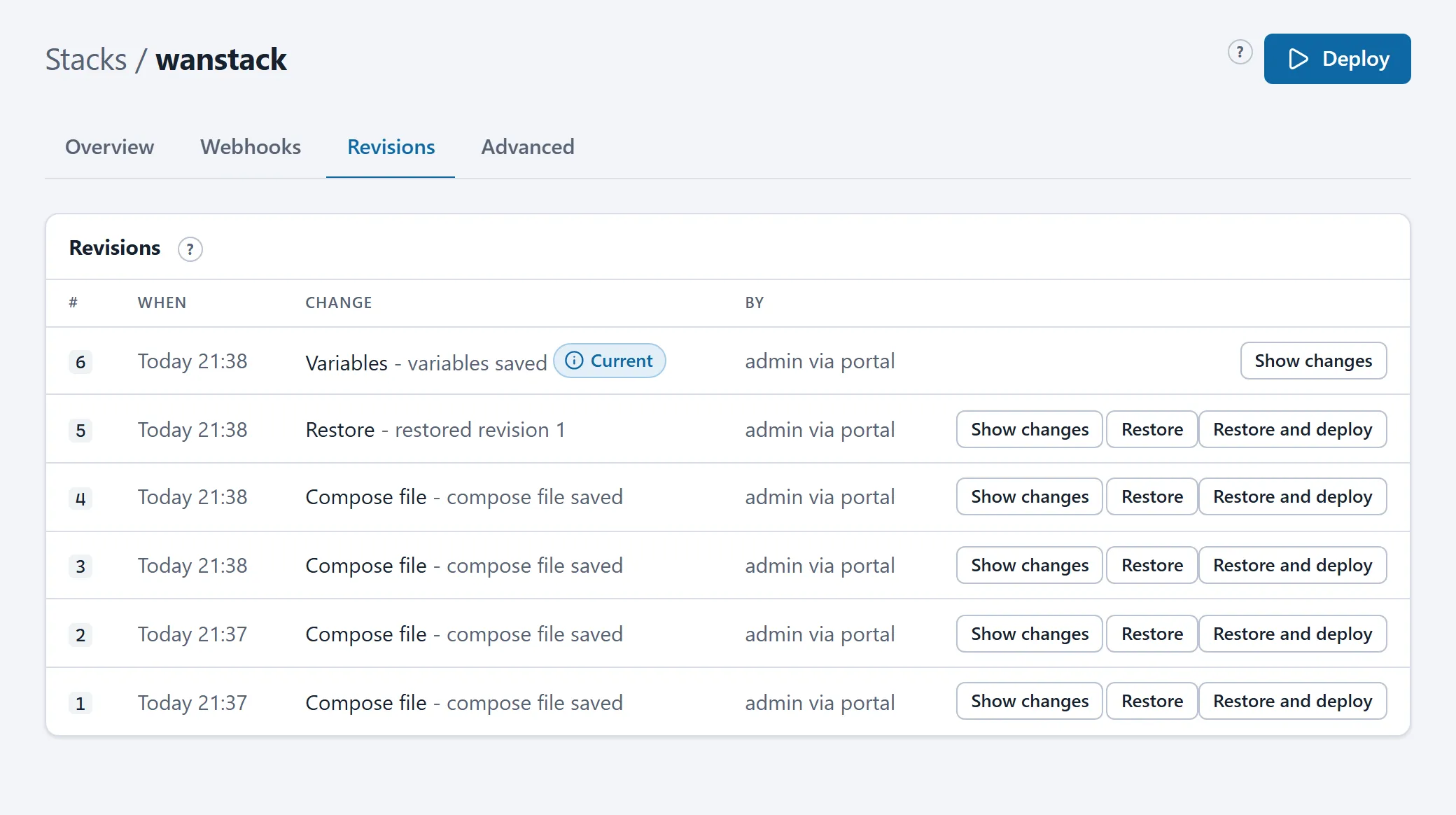
Reading
Section titled “Reading”The Revisions tab lists the revisions, newest first.
- Current is the newest definition: what the next Deploy would roll out.
- Deployed is the revision running right now. When Current and Deployed differ, the Overview tab shows “Changed since the last deploy”.
- Show changes shows a revision’s difference from the previous one, per file.
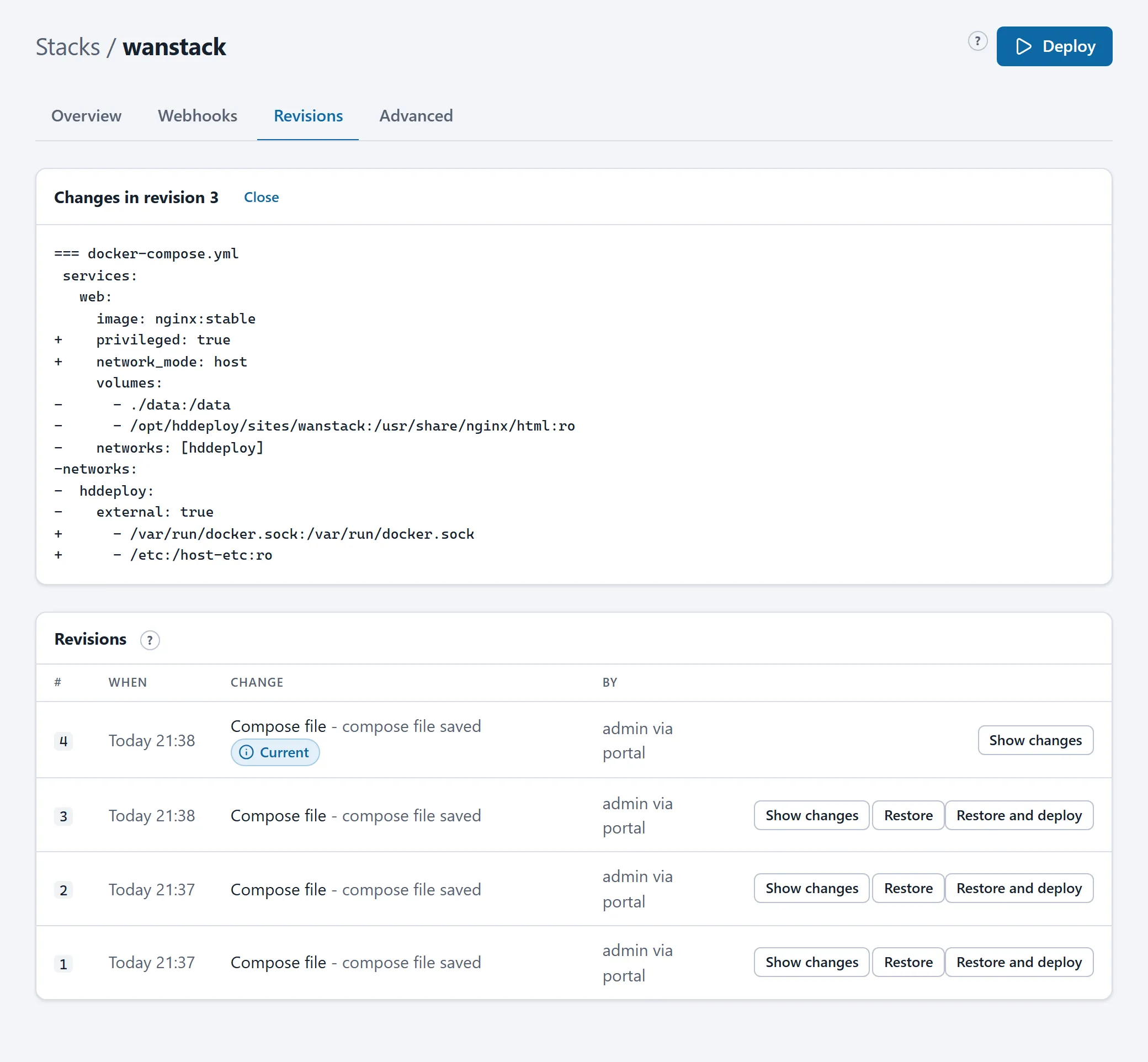
Restoring
Section titled “Restoring”Restore puts the files of an older revision back as a new revision. Nothing is ever lost: the version you replaced stays in the list. The containers are left alone until you press Deploy; Restore and deploy does both in one go.
An old revision that breaks today’s platform rules cannot be restored; the portal then names the rule.
What is not in a revision
Section titled “What is not in a revision”The application’s data (the database, uploaded files in volumes) is not part of a revision. That is what backups are for. Restoring a revision changes the configuration, not the contents of the database.
Retention
Section titled “Retention”The server keeps the last 50 revisions per stack; the revision that runs is never pruned. A stack that existed before revisions were tracked got an “Existing state” revision as its starting point at its first change.
Through the API and an assistant
Section titled “Through the API and an assistant”Writes through the API and the MCP server send the revision number they are based on. If the stack was changed by someone else in the meantime, the write is refused (412) and the caller has to read again first. That way two people (or a person and an assistant) never overwrite each other unnoticed.