
Signing in from claude.ai and ChatGPT
The web versions of Claude (claude.ai) and ChatGPT cannot carry a token. They sign in according to the OAuth standard: your browser opens your server’s login page, you log in with your own account and choose what the assistant may do. Your server is its own “identity provider”; no third party is involved.
Connecting
Section titled “Connecting”- In claude.ai open Settings > Connectors > Add custom connector (in ChatGPT: Settings > Connectors > Create).
- Enter
https://<your-server>.hddeploy3000.nl/mcpas the address. If the assistant asks for a client id or client secret, leave those fields empty: the assistant registers itself with your server. - Your browser opens your server’s login page. Log in with your portal e-mail address and password.
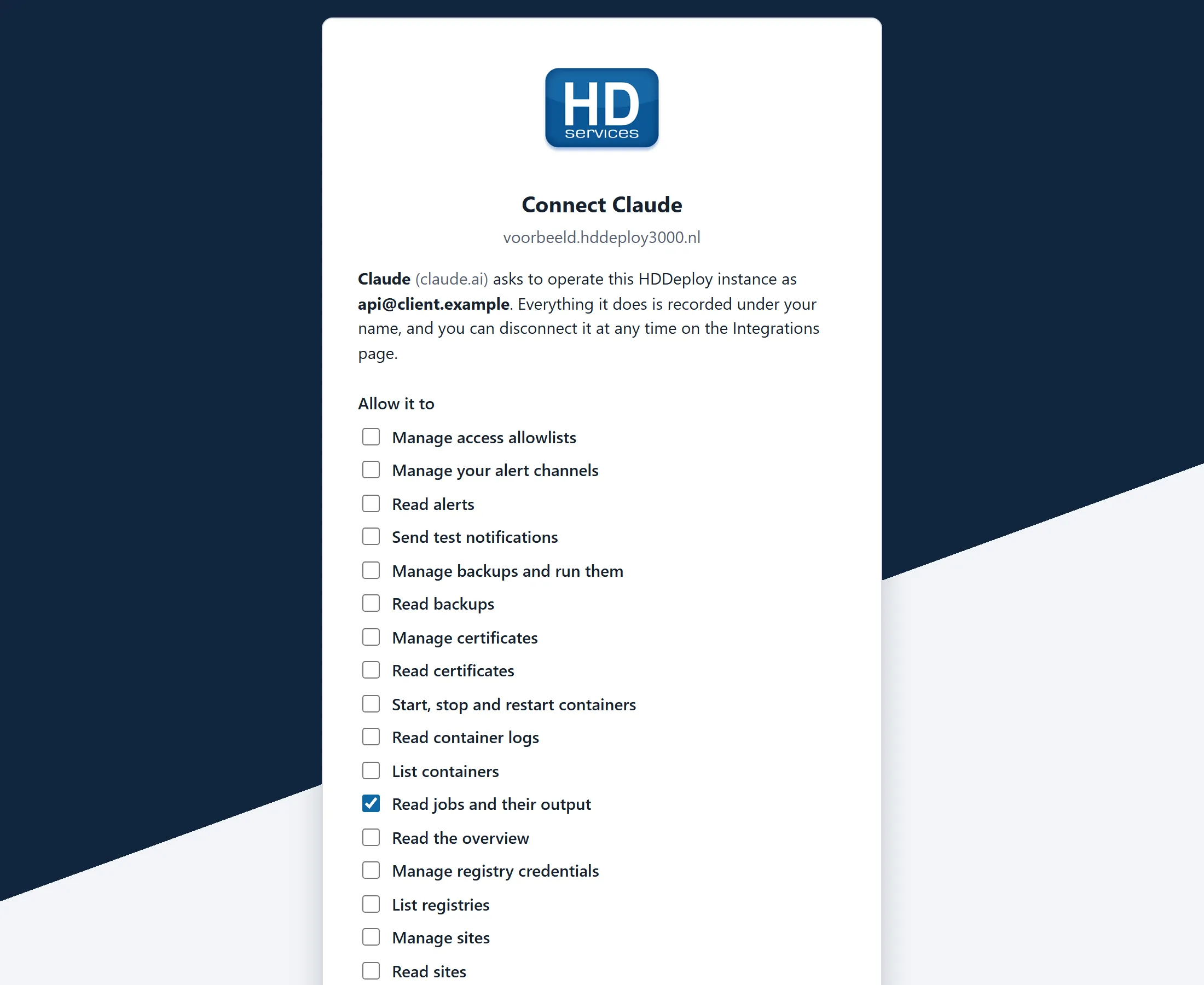
- You see which permissions the assistant asks for. Untick what you do not want to give and choose Allow.
- The assistant is connected and stays connected as long as you use it.
What the assistant may do
Section titled “What the assistant may do”The permissions are the same scopes as for a token (see API tokens and scopes). The consent page shows everything you can grant, with the requested or recommended set ticked. An assistant can never do more than your own account and never manage tokens or users.
Reviewing and disconnecting connected apps
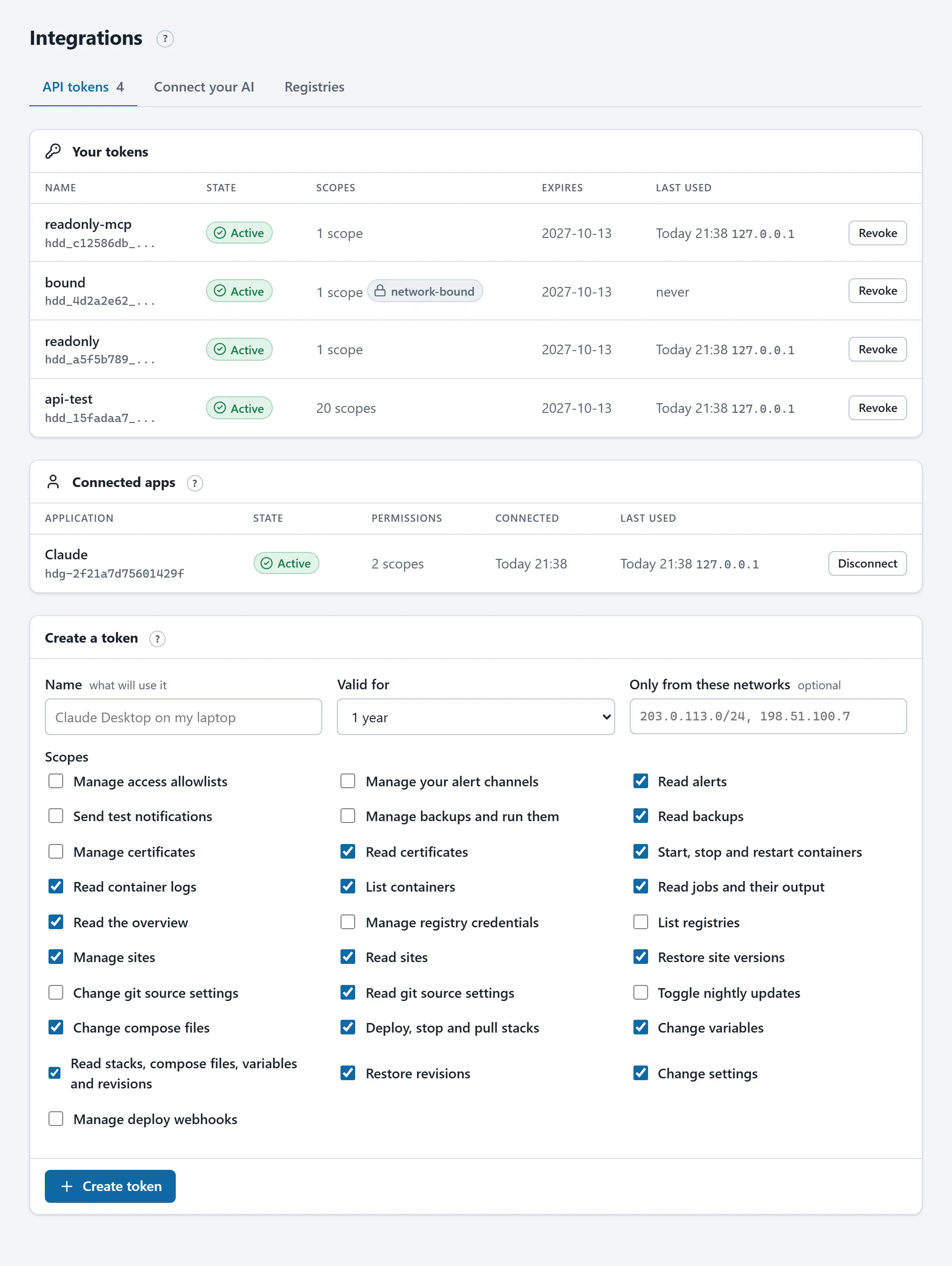
Section titled “Reviewing and disconnecting connected apps”The connection is listed on Integrations > API tokens under Connected apps, with its permissions, last use and a Disconnect button. Disconnecting revokes the connection at once; the assistant then has to sign in again (and you grant permission again). Everything the assistant does is on Activity under your name with the assistant’s name next to it.
How long the connection lasts
Section titled “How long the connection lasts”- The assistant receives an access key valid for one hour and renews it silently while you use it.
- After thirty days without use the connection lapses; you then sign in again.
- If your account is disabled, all your connections expire at once.
- When the portal software restarts (the nightly update, for example) the assistant renews its key by itself; you notice nothing.
Security
Section titled “Security”The server follows the OAuth 2.1 standard: every sign-in uses PKCE, refresh keys are replaced on every use, and a refresh key presented again (a sign that it leaked) revokes the whole connection. If an assistant keeps asking you to sign in because of that, remove the connector in the assistant and add it again.
HD Services technicians cannot connect hosted assistants to your server: their access is bound to HD Services’ networks, and an assistant in the cloud is not in them. Only client accounts can connect. HD Services does see which connections exist and can revoke them during an incident.
For the technically minded
Section titled “For the technically minded”The server publishes its OAuth metadata at /.well-known/oauth-authorization-server and /.well-known/oauth-protected-resource/mcp. Every 401 response from /mcp and /api/v1 points at it, so any client that follows the MCP authorization specification finds the sign-in by itself. Dynamic registration (POST /oauth/register) is open, limited to ten registrations per address per hour; the token endpoint accepts sixty requests per address per minute. Redirect addresses must be https, or http on localhost for local tools.